
ProtoPie AI 已上线——现已进入 Beta 版。了解更多

ProtoPie AI 已上线——现已进入 Beta 版。了解更多

聚焦客户

5

阅读时间

QualiArts 如何借助 ProtoPie 实现主机级移动游戏 UI/UX

了解 CyberAgent 旗下手游工作室 QualiArts 如何借助 ProtoPie 将动画评审时间缩短 70%,并实现 99% 的产品还原度——同时不牺牲玩家所要求的那种细腻“手感”。

ProtoPie,

QualiArts 是 CyberAgent 旗下的一家智能手机游戏开发工作室,通过提供主机级体验,持续重新定义日本移动游戏市场的 UI/UX 标准。他们的旗舰作品、偶像养成 RPG IDOLY PRIDE,正是一个绝佳例子,说明一家工作室如果拒绝在移动游戏 UI 原型制作的细节上妥协,会带来什么样的成果。

对 QualiArts 来说,优秀的 UX/UI 设计不仅关乎游戏看起来如何,更关乎它带给人的感受。团队痴迷于“手触り tedzuri”(即手感):每一次点击和滑动都要有精确的触觉反馈。角色选择时哪怕只有 0.1 秒的延迟,也会彻底打破玩家的沉浸感。

然而,达到这一标准曾经要付出高昂代价。
Screenshot of the ProtoPie Handoff interface displaying detailed interaction recipes for engineers. The view shows specific values for duration, delay, and easing curves (cubic-bezier), allowing developers to implement the IDOLY PRIDE UI with 100% accuracy.

瓶颈:每次微调都要等三天

在采用 ProtoPie 之前,QualiArts 的 UI 实现流程需要在 Figma、After Effects 和 Unity 之间进行复杂交接。设计师会在 After Effects 中制作精细动画——但这些仍只是静态视频。要把这份设想转化为 Unity 中可交互、可测试的状态,通常要花工程师整整三天。
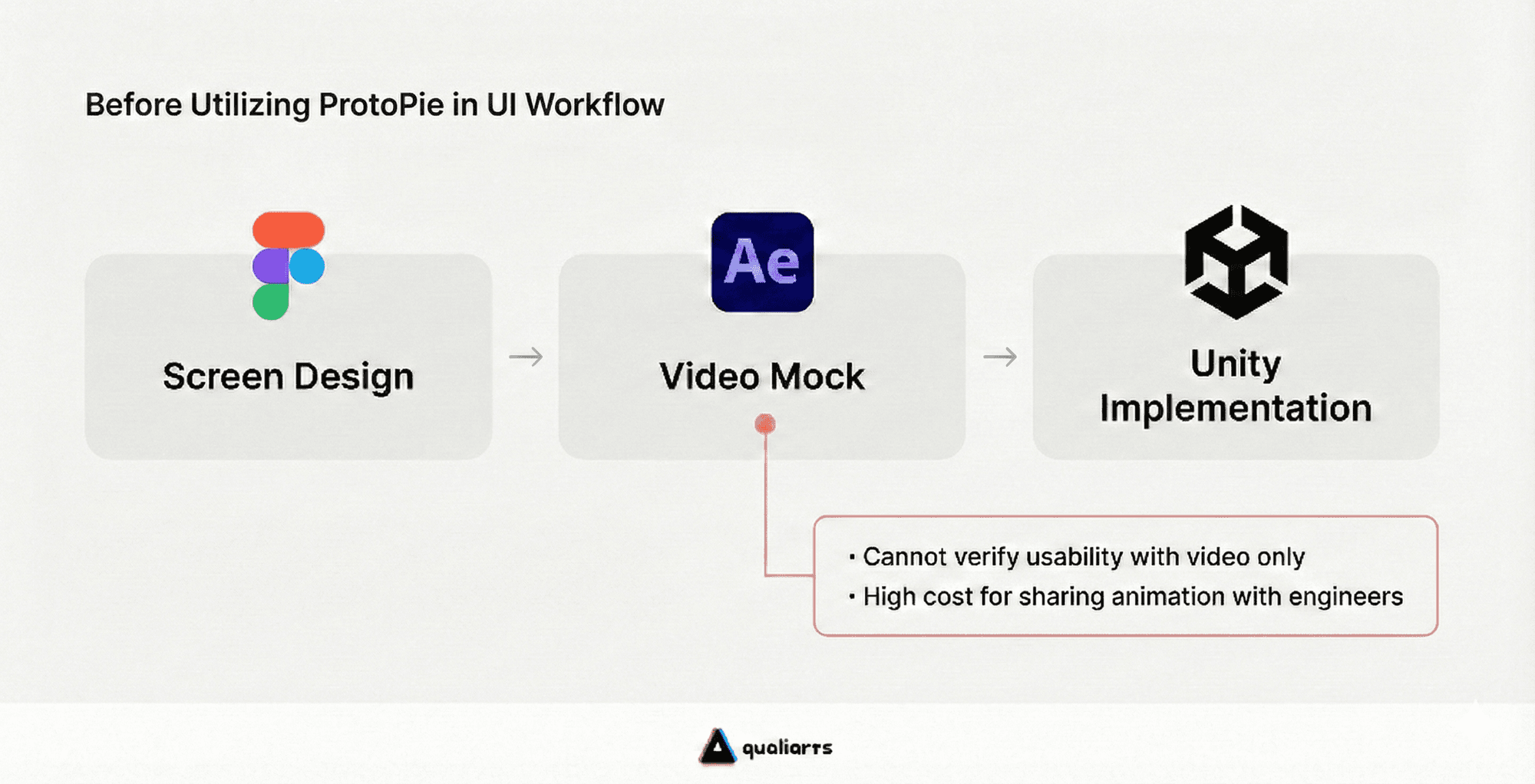
Diagram illustrating the legacy UI development process before utilizing ProtoPie. The workflow moves from Screen Design in Figma to Video Mocks in Adobe After Effects, and finally to Unity Implementation. A callout highlights key pain points of this workflow: the inability to verify usability with video only and the high cost of sharing animations with engineers.

等到实现最终交付时,结果往往只是“接近,但不完美”。细微问题——比如按钮回弹稍有延迟,或快速连点时显得不够自然——都很常见。由于每次修正都会再次触发三天的循环,设计师开始自我审查那些最有野心的想法,转而选择“安全”而不是“创新”的方案。

结果:创造力的瓶颈并非来自人才不足,而是来自迭代成本过高。

从 3 天到 90 秒:使用 ProtoPie 进行原型制作

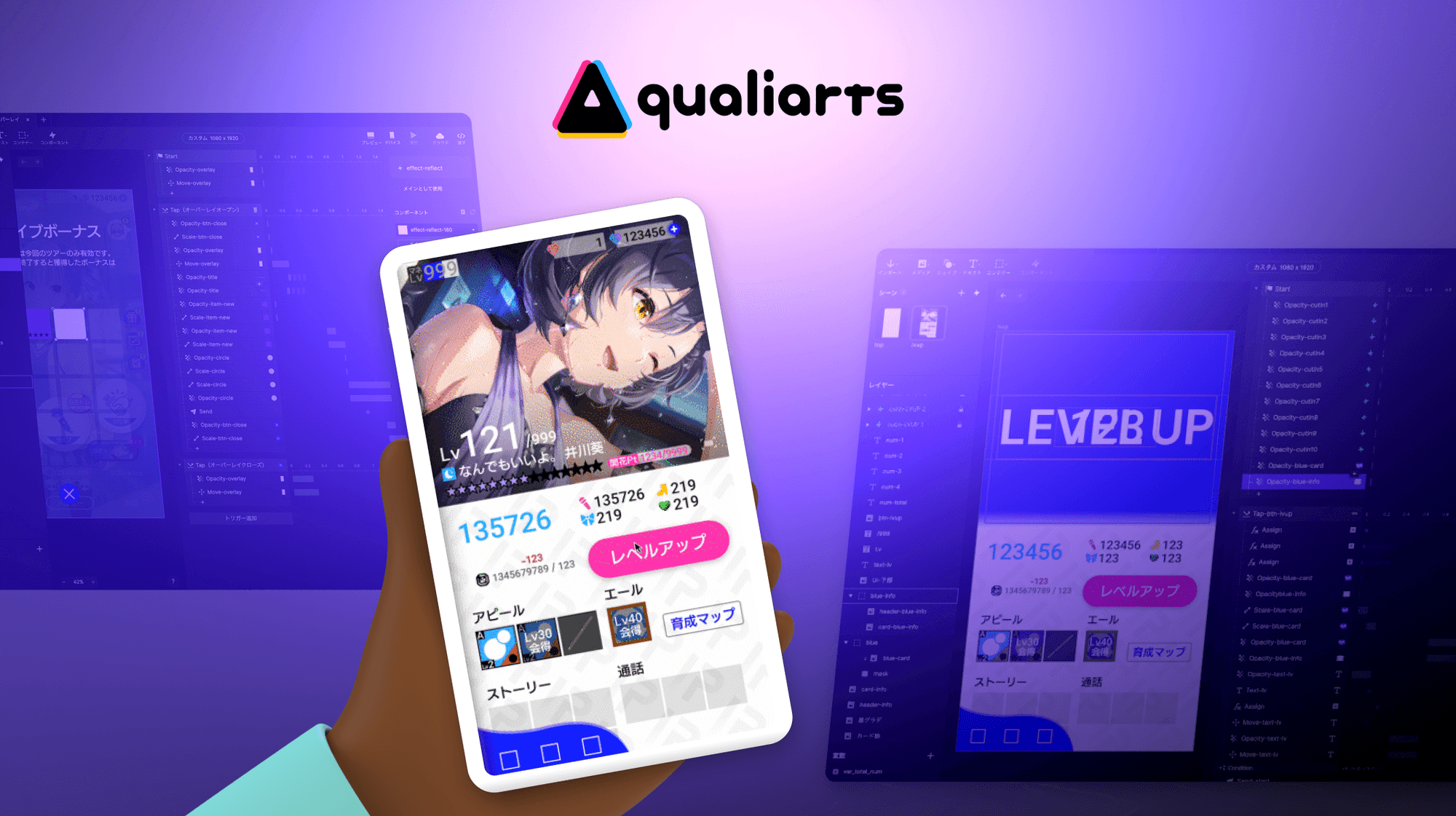
QualiArts 选择 ProtoPie 作为其在正式开发前进行手游原型验证的主要工具。决定性因素是 ProtoPie 能够以极高精度复现 IDOLY PRIDE 极其复杂的升级流程,几乎与最终的 Unity 实现毫无差别。

借助 ProtoPie,验证周期从三天缩短到仅 90 秒。无需编写一行代码,设计师就能构建高级交互——包括同步显示、粒子效果和触觉反馈——并立即推送到 iPhone 等设备上。

现在的工作流程简单到:点击、调整 0.03 秒、再点击一次验证。设计师会不断迭代,直到自己满意为止。这也让团队能够在设计阶段就发现人体工学问题和 Android 特有的性能瓶颈——这些问题静态 mockup 永远不会暴露。
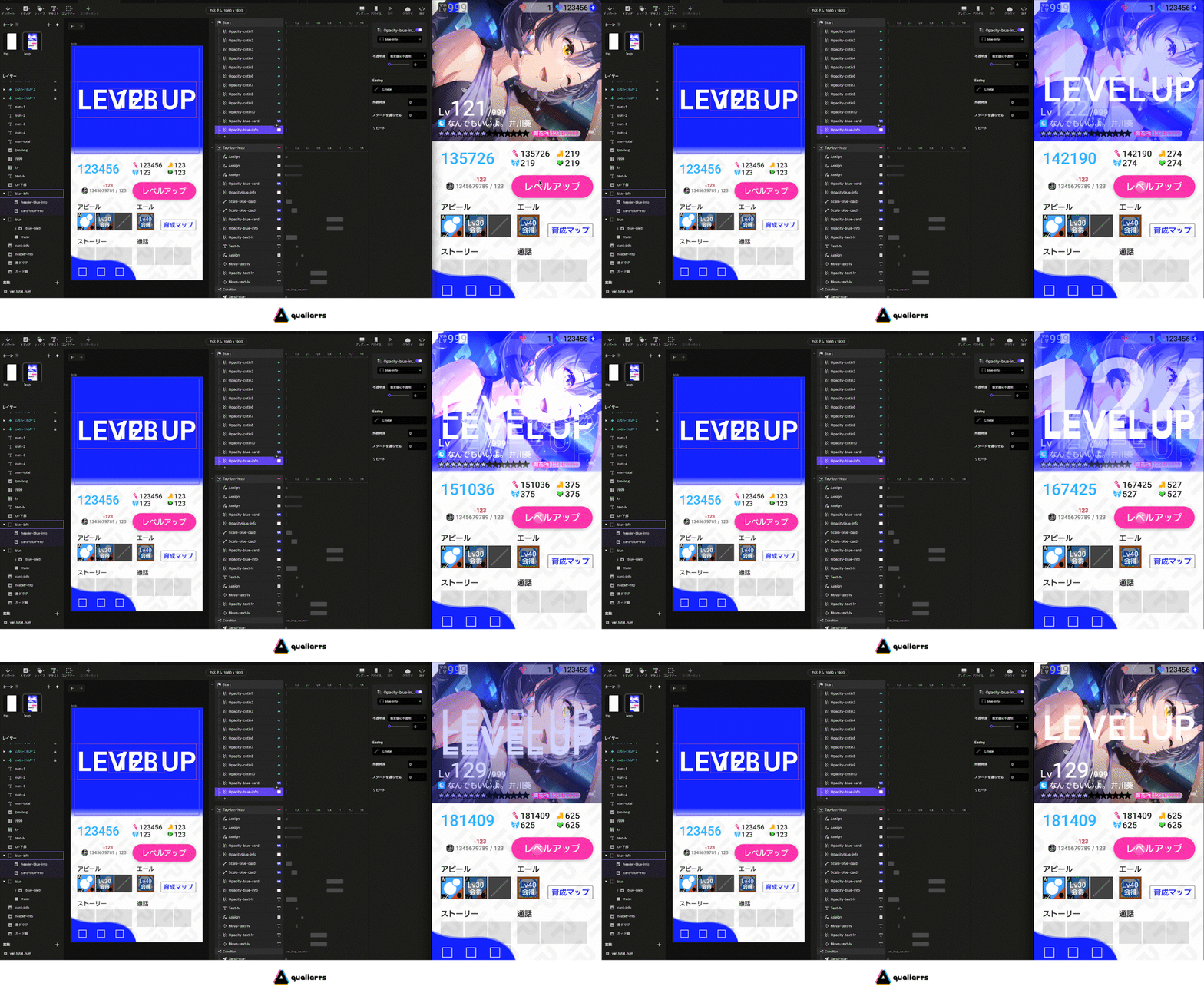
Screen recording of the ProtoPie Studio interface showing the timeline and interaction panel. A designer adjusts specific animation curves and timing parameters for the game UI, demonstrating the ability to rapidly iterate on detailed interaction rules without coding.

终结设计师与工程师之间的“传话游戏”

最具变革性的变化发生在“交接”阶段。ProtoPie 的 Handoff 功能会直接根据设计师的交互自动生成精确、可直接用于实现的规格:

  • 精确时序:"0.18 秒" 而不是“快一点”。

  • 精确缓动:"Cubic-bezier 函数" 而不是“让它更有弹性”。

  • 明确数值:缩放、透明度和坐标变化的具体数字。

结果是一个手游原型制作流程,任何信息都不会在传达中丢失。

这种差异就像只是告诉别人“把它涂成蓝色”,和直接交给他们一个具体的 HEX 代码一样明显。工程师不再需要浪费时间去解读意图,或者在无休止的 Slack 线程里追着确认细节。

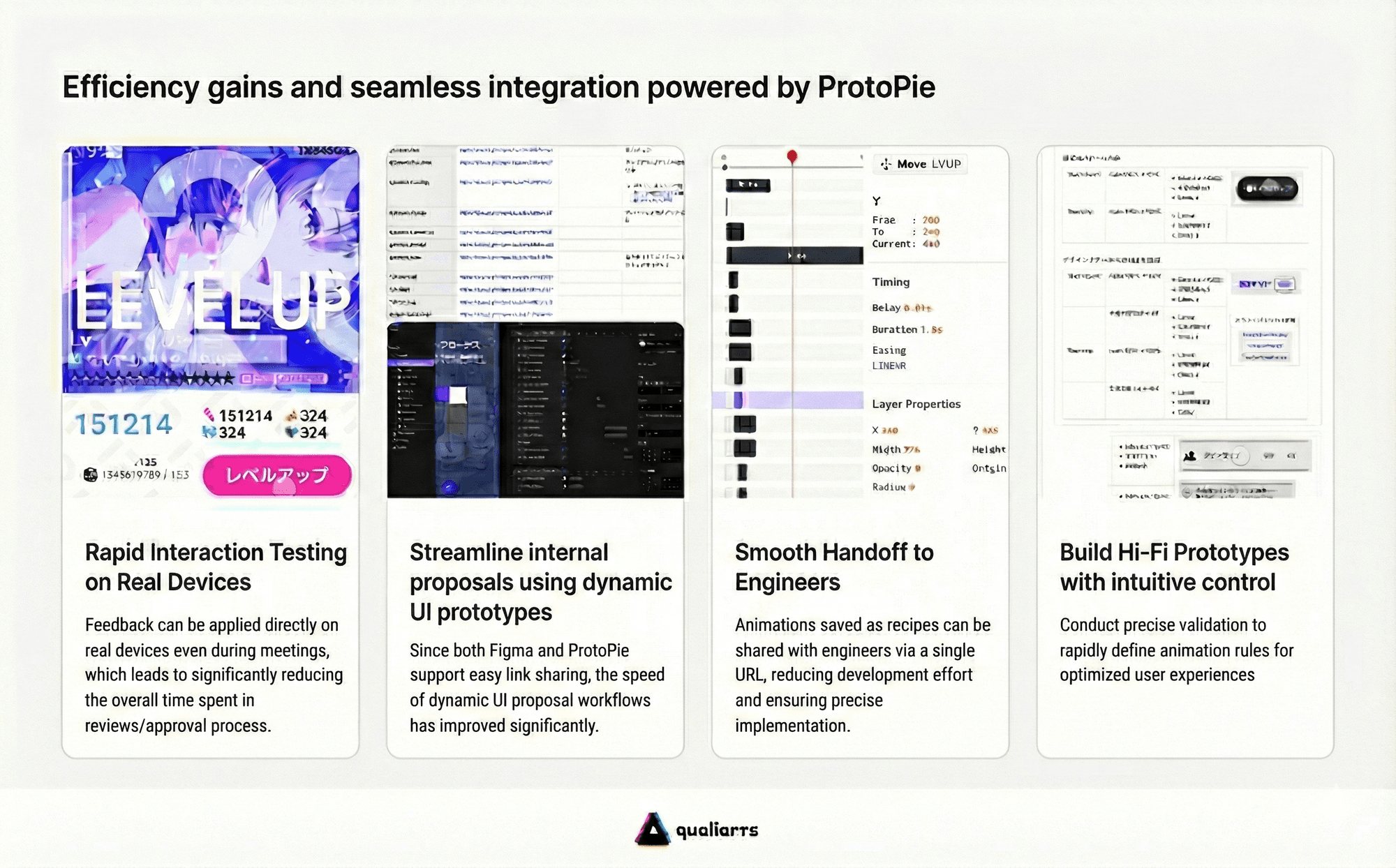
通过将 Figma 用于布局、ProtoPie 用于交互、ProtoPie Cloud 用于交接,QualiArts 在将动画评审时间缩短70%的同时,实现了99% 的产品保真度

Chart titled 'Efficiency gains and seamless integration powered by ProtoPie' detailing four key workflow improvements. The section covers: 1) Rapid Interaction Testing on real devices for instant feedback, 2) Streamlining internal proposals using dynamic UI prototypes with Figma integration, 3) Smooth Handoff to engineers using interaction recipes and URLs, and 4) Building Hi-Fi Prototypes with intuitive controls to define animation rules.

文化转变:自信地设计

ProtoPie 在 QualiArts 带来的影响远不止于工作流效率——它从根本上改变了团队对设计的思考方式。

曾经为了保护工程资源而压抑创意的设计师,如今可以自由试验并提出大胆的原型。在 IDOLY PRIDE中,玩家期待的是高端体验,从视差效果和多层级展示到上下文感知的微交互,所有 UI 元素现在都会在 ProtoPie 中经过数百次测试,然后才会编写第一行 Unity 代码。

结果精确到在最终实现后,甚至设计师有时也难以将 ProtoPie 原型与正式环境区分开来。

ProtoPie 让速度与质量之间的取舍成为过去。QualiArts 不只是制作原型——他们重新定义了手游原型可以达到什么程度,以及带着信心交付意味着什么。

Side-by-side comparison GIF showing the IDOLY PRIDE game interface. The left panel shows the 'ProtoPie' prototype, and the right panel labeled 'Real Device' (実機) shows the final implementation. The animation demonstrates that the high-fidelity prototype is visually indistinguishable from the actual game running on a smartphone, highlighting the accuracy of QualiArts' design-to-development workflow.

为你的团队看看 ProtoPie 的实际演示